

Open the brand page
The live guidelines at esportshub.io/brand, with rendered wordmark, Mark, color, and partnership examples, plus the downloadable asset kit.

The Esports Hub lockup: the Mark and wordmark set together.
Wordmark
The Esports Hub wordmark is set in Inter Display with tightened tracking. It’s our primary brand expression and should appear at a comfortable, legible size on every surface where we sign our name. Use the light wordmark on dark backgrounds and the dark wordmark on light ones.
Light wordmark on dark

Dark wordmark on light
- Pair the Mark with the wordmark in a lockup when you have the room.
- Stretch, skew, or alter the wordmark in any way.
- Crop or trim the wordmark.
- Use the wordmark as a mask for imagery.
- Recolor it outside the approved variations.
- Add effects, shadows, or textures.
The Mark
The Mark is more than a symbol. The bolt is the spark of a career taking off: the moment a player gets signed, a team gets its name out, a deal lands. It stays sharp at any size, from a favicon to a jersey crest. Use the Mark when space is too tight for the wordmark, or alongside the wordmark in product lockups.
White Mark on dark

Dark Mark on light
- Use the white Mark on dark backgrounds and the dark Mark on light backgrounds.
- Give the Mark room to breathe.
- Add color to the Mark.
- Distort or warp it.
- Place it on busy imagery.
Color
Black, white, and Strike Red form the brand palette. Use the approved artwork and the current examples on the brand page. Product pages can use their own interface colors; those are not extra logo color variations.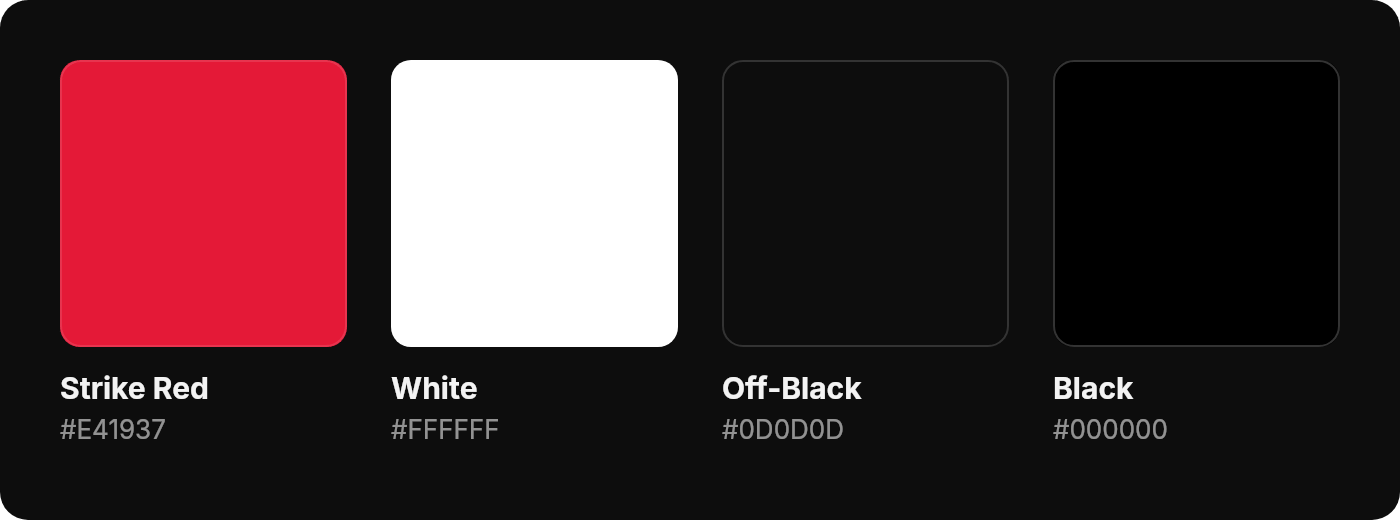
Typography
Use the supplied wordmark artwork instead of recreating the logo from typed text. The brand page shows the current typography examples and approved assets. Typography can vary between marketing and product interfaces. For co-branded materials, follow the brand examples rather than copying an unrelated screen’s font. Weights in use: Light (300), Regular (400), Medium (500), Semibold (600), and Bold (700), each with its italic.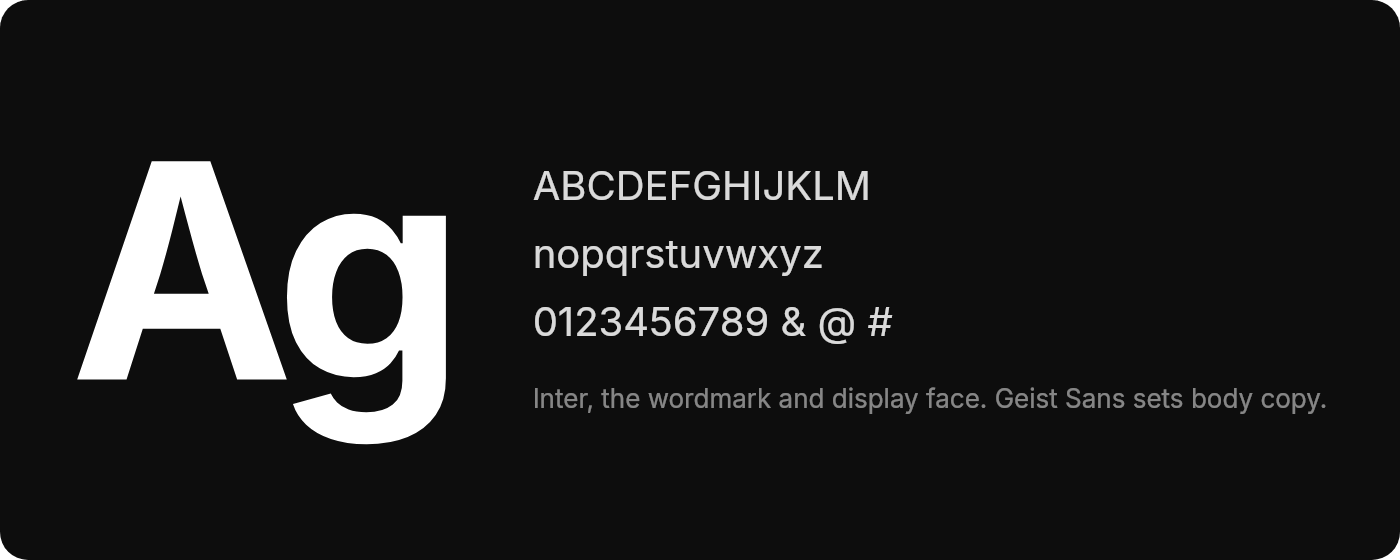
Brand partnerships
When pairing the Esports Hub wordmark with partner logos, keep balanced spacing and a clear hierarchy. Avoid placing logos too close together. Each logo should appear at a comparable visual weight, in its approved color format, and stay undistorted. Co-branded materials need approval from both brands so we stay consistent and on-standard. Do- Anchor the partnership lockup with the Mark.
- Use the established spacing rules.
- Keep the wordmarks at the same height.
- Add color to the partnership lockup.
- Size the wordmarks differently.
- Place the lockup over busy images.
Voice and language
Write clearly and accurately. Use the correct product names, avoid unsupported claims, and make your relationship with Esports Hub clear. A few naming and attribution rules for anyone writing about us:- Product names. Reference our Discord bots and other products by their official names in copy and support materials, not abbreviations or nicknames in formal contexts. Describe features accurately and stay within what the product actually does. Product names that include our trademarks can’t be used by third parties without permission.
- Community members. Members participate independently. Membership does not make someone an employee, official partner, or representative of Esports Hub. Describe the actual relationship and do not imply that a member speaks on our behalf.
- Non-partnerships. Using our products, joining the Discord, or appearing in a community spotlight does not establish a partnership. Don’t describe your relationship as a “partnership”, “collaboration”, or “sponsorship” without our permission. “We use Esports Hub” is fine when it’s accurate; “in partnership with Esports Hub” requires our approval.
- Content attribution. Quote our blog posts, videos, and social content with attribution and a link back, keeping quotes short and unaltered. Product screenshots are welcome in editorial, tutorials, and reviews as long as they don’t misrepresent features, pricing, or availability. For republishing or syndication, email brand@esportshub.io.
Downloads
One zip with the Mark in dark and light PNG plus a scalable SVG lives on the brand page. Our logos are not for your team’s branding. Partnerships and other marketing materials require our permission. Contact brand@esportshub.io for permission or custom assets.Usage terms
“Marks” covers anything we use to identify Esports Hub: our name, wordmark, the Mark, icons, and design elements. By using our Marks, you agree that we own them and that any goodwill from your use benefits Esports Hub. Permission to use our Marks is limited in the following ways:- Only use our Marks if they follow these brand guidelines.
- The permission is non-exclusive (we can give it to others) and non-transferable (you can’t give it to others).
- Do not use our name, logos, or brand design as the identity of your own team, business, product, channel, or project.
- We may update this guide, and changes must be reflected in your usage within a reasonable time.
- We can review the use of our Marks and require changes if needed.
- We may end permission at any time, and usage must stop promptly.